

Before you sign a Business Central quote, get a second opinion, list every line that’s excluded or vague, price the excluded items now, and decide what can wait for a later phase. Then confirm who pays for changes.
TL;DR. A Business Central quote is only as useful as its exclusions. Read what’s left out before you read the total. Ask what’s included, what’s not, what each exclusion would cost to add later, and what could be deferred to a second phase. Get a second opinion from someone who isn’t bidding. Then settle how change requests get priced before you sign anything.
The quote lands. It has a big number on it, a few pages of scope, a signature line, and a partner who would like an answer by the end of the quarter, which is exactly when a careful reader should slow down. Slow down. If you’re weighing a move from GP, our Business Central migration team reviews quotes from other firms too, and we’ll tell you honestly what we see.
Start with a second opinion
Stephen Tanner, our founder, gives the first piece of advice without hesitating. “Maybe getting a second opinion on what’s covered and what’s not covered.”
His reasoning is simple. Few people can read a quote like this cold, and the scope is written by the party selling the work, so someone who isn’t selling should read it too before a signature goes on it.
“Having really scrutinized it to verify what is and what is not included,” he says. That’s the job. Verify it.
A second opinion doesn’t mean replacing your partner. It means paying a little now to avoid paying a lot after kickoff, when your negotiating room is gone and the project clock is already running.
What’s in, what’s out, and what it costs to add later
Think about a commercial office build-out. The contractor hands you a fixed price, and buried in the notes are a few exceptions, like flooring, cabling, and permits, and those exceptions are where the budget goes missing for owners who skim.
Stephen frames the same problem for software. You want to understand what the exceptions really mean, “and what’s the potential cost impact of deciding to add those later versus deciding right away.”
Panorama Consulting, a financial system advisory firm, makes a similar point about statements of work. Its September 2026 article on blank spaces in an SOW says that undefined scope tends to get priced later, as change orders, and that the vendor may load your data while you’re expected to cleanse it yourself. Read your own SOW for both.
So when you find an exclusion, ask three things. What is it? What would it cost now? What would it cost after kickoff?
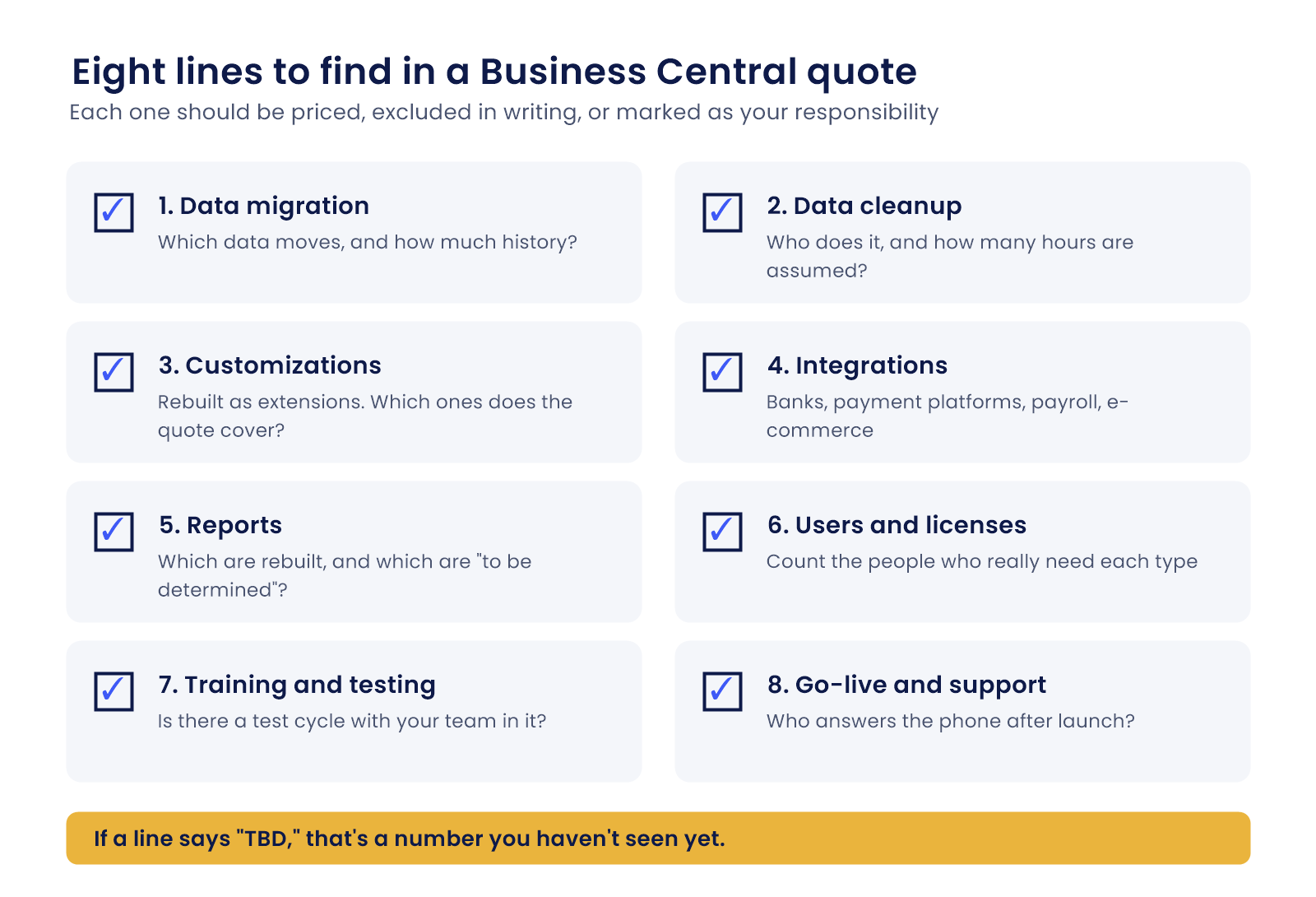
Eight lines to find in the quote
Go through the document with a highlighter. Every item below should be either priced, excluded in writing, or marked as your responsibility.
- Data migration. Which data moves, and how much history? Microsoft’s migration documentation says transaction history is optional and arrives as a snapshot. Decide on purpose, not by default.
- Data cleanup. Who does it, and how many hours are assumed? Bad data hides cost. Make someone own it.
- Customizations. Microsoft’s documentation says customizations aren’t carried over and have to be rebuilt as extensions. Count yours. Then check which ones the quote actually covers, and which it quietly leaves for you to sort out after the system is live.
- Integrations. Banks, payment platforms, payroll, e-commerce. Each connection is its own piece of work.
- Reports. Which of your current reports are rebuilt, and which are left as “to be determined”?
- Users and licenses. Microsoft’s list prices are $80 per user per month for Essentials, $110 for Premium, and $8 for Team Member, paid yearly. We checked that pricing page on September 30, 2026. Count the people who really need each type. Don’t guess.
- Training and testing. Is there a test cycle with your team in it? Who trains whom?
- Go-live and support. What happens in the weeks after launch, and who answers the phone?
If a line says “TBD,” that’s a number you haven’t seen yet. Treat it that way.
Defer what you can
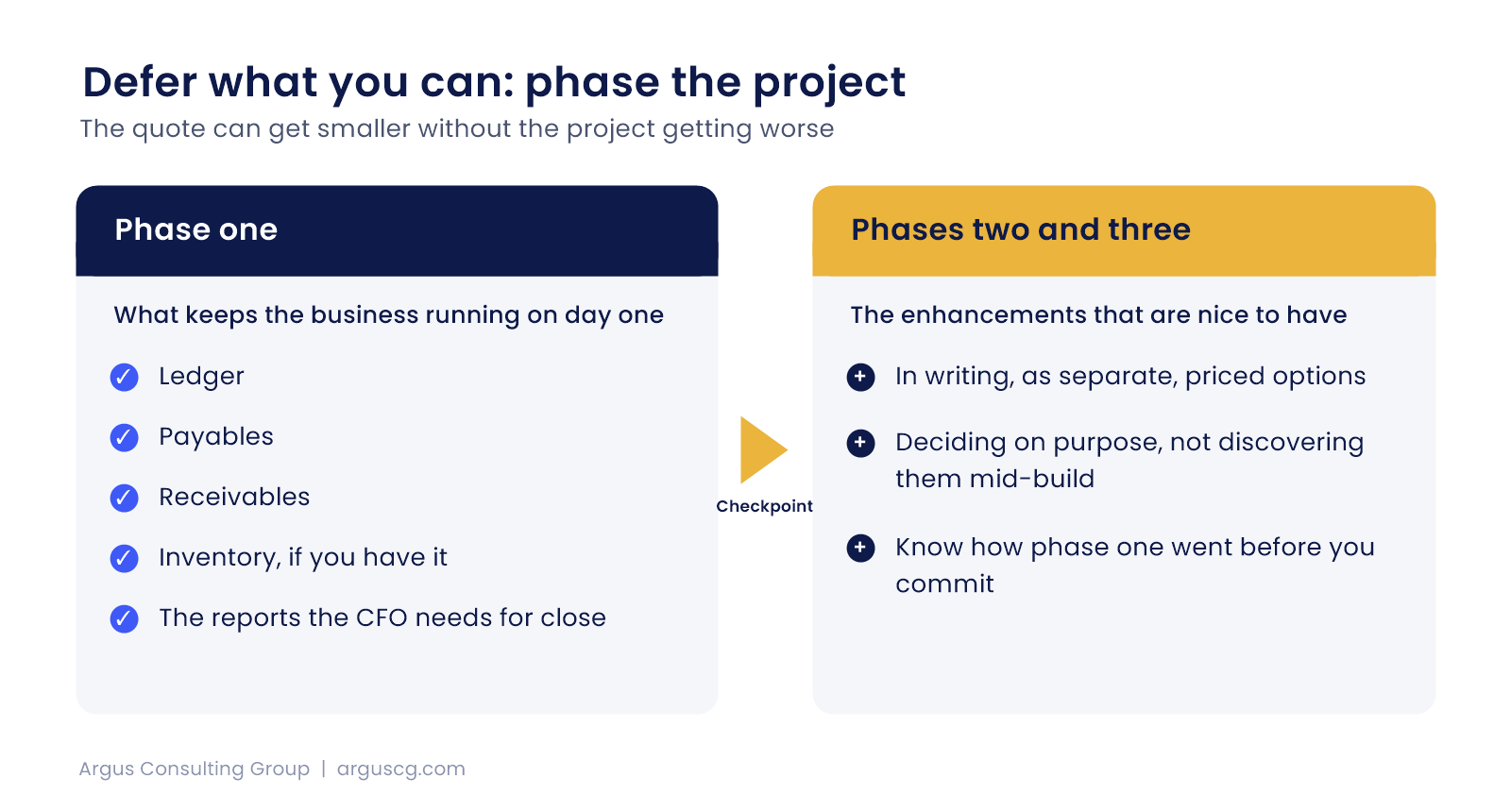
This is where the quote can get smaller without the project getting worse. Often it’s the cleanest lever you have.
“Are there things there that aren’t needed yet that maybe you could defer?” Stephen asks. “And do it as a phase project versus all at once.”
Phase one covers what keeps the business running on day one. Ledger, payables, receivables, inventory if you have it, and the reports the CFO needs for close. Phase two and three hold the enhancements that are nice to have, and you should see them in writing as separate, priced options so that you’re deciding on purpose instead of discovering them in the middle of the build.
A phased plan also gives you a checkpoint. You’ll know how the first phase went before you commit to the second. That’s control.
Questions to ask about how change gets priced
Every project changes. That’s normal. What matters is how the change is priced, who has to approve it, and how quickly you’ll see a number before the work is already done.
Ask whether the quote is fixed price, time and materials, or a mix. Ask what counts as a change, who approves one, and how quickly you’ll see a number, because a change you learn about after the work is done isn’t a change request, it’s an invoice. Ask for the hourly rates now, before you need them.
Then ask what happens if the data turns out messier than expected. Good partners have a straight answer, with hours and rates attached. Vague ones say, “we’ll work through it.” Push.
What a good quote looks like
It names what’s included, in plain terms, and lists what isn’t. It shows phases with separate prices, names your team’s responsibilities, and states how changes get approved, so nobody has to guess in month three.
You shouldn’t need a translator to read it.
About that GP date
Microsoft’s GP support, including tax updates, ends December 31, 2029. Security updates run to April 30, 2031. That’s a planning window, not a reason to sign a quote you haven’t checked. No date makes a rushed signature smart. Argus has committed to supporting Dynamics GP through 2036 under the Argus 10-Year Commitment, so a rushed signature isn’t your only option. And if you’re being pressed, our post on what to do when your GP partner pushes a migration may help.
Questions about Business Central quotes
What should I check first in a Business Central quote?
Start with the exclusions and anything marked TBD, because those are the places where cost hides. Then check data migration, customizations, integrations, reports, licenses, training, and post-launch support. Each should be priced, excluded in writing, or assigned to your team.
Should I get a second opinion before signing?
Yes, from someone who isn’t bidding on the work, because the scope was written by the party selling it and an independent read catches gaps you’d otherwise find after kickoff. It’s a small cost next to a change order.
How do I avoid change orders after I sign?
You can’t avoid them entirely, but you can shrink them. Define scope in writing, price excluded items now, agree on rates and approval steps, and ask who covers messy data. Undefined scope is what turns into change orders later.
Can I split a Business Central project into phases?
Yes, in most cases, by putting everything needed to run the business on day one in phase one and deferring the enhancements to later phases with their own prices. That lowers the first commitment and lets you judge the partner’s work before you extend it.
How much does Business Central cost per user?
Microsoft’s list prices are $80 per user per month for Essentials, $110 for Premium, and $8 for Team Member, paid yearly, and they can vary by region. Implementation is a separate cost. Count users by type before you accept a license number.
Want a second set of eyes on your quote?
Send us the quote and tell us how GP works for you today. We’ll mark what’s missing, what’s vague, and what could wait. Start with a Free Business Assessment, or call (626) 403-9744.