

Dynamics GP AP automation usually means adding invoice capture, approval, and payment tools around GP, not replacing it. The invoice gets read and coded automatically, a person reviews exceptions, and GP stays the system of record.
TL;DR. Your AP team probably isn’t slow. They’re typing. GP’s payables module handles entry, approvals, and electronic payments, but Microsoft’s documentation describes no native invoice capture. That’s the gap. Add-on tools can read invoices, scheduled integrations can post data from other systems, and neither requires replacing GP. Start by finding where your invoices enter the process and who keys them.
Our Dynamics GP optimization team works on exactly this problem, usually without touching the core system. Picture the pile. Invoices come in by email, by mail, and through a portal or two, and someone opens each one, types the vendor, the amounts, and the coding into GP, and then someone else checks it. Every step is manual. Every step costs hours.
What GP already does in payables
Start with what you own.
Microsoft’s Payables Management documentation says transactions can be entered singly or in batches, across invoices, credit memos, returns, finance charges, and miscellaneous charges. If your company uses the Workflow feature, batches might need approval before posting. The Workflow Administrator’s Guide names two payables workflow types, Payables Transaction Approval and Payables Management Batch Approval.
So approvals can be automated inside GP. What you won’t find is invoice capture. The Payables documentation we reviewed doesn’t mention scanning or OCR, and the GP 2018 release notes mention document attachment but not invoice import or OCR, while Microsoft’s invoice capture feature is described in a 2022 blog post for Dynamics 365 Finance that doesn’t mention GP at all.
Three ways to cut the typing
Stephen Tanner, our founder, describes the options in terms of where the data starts.
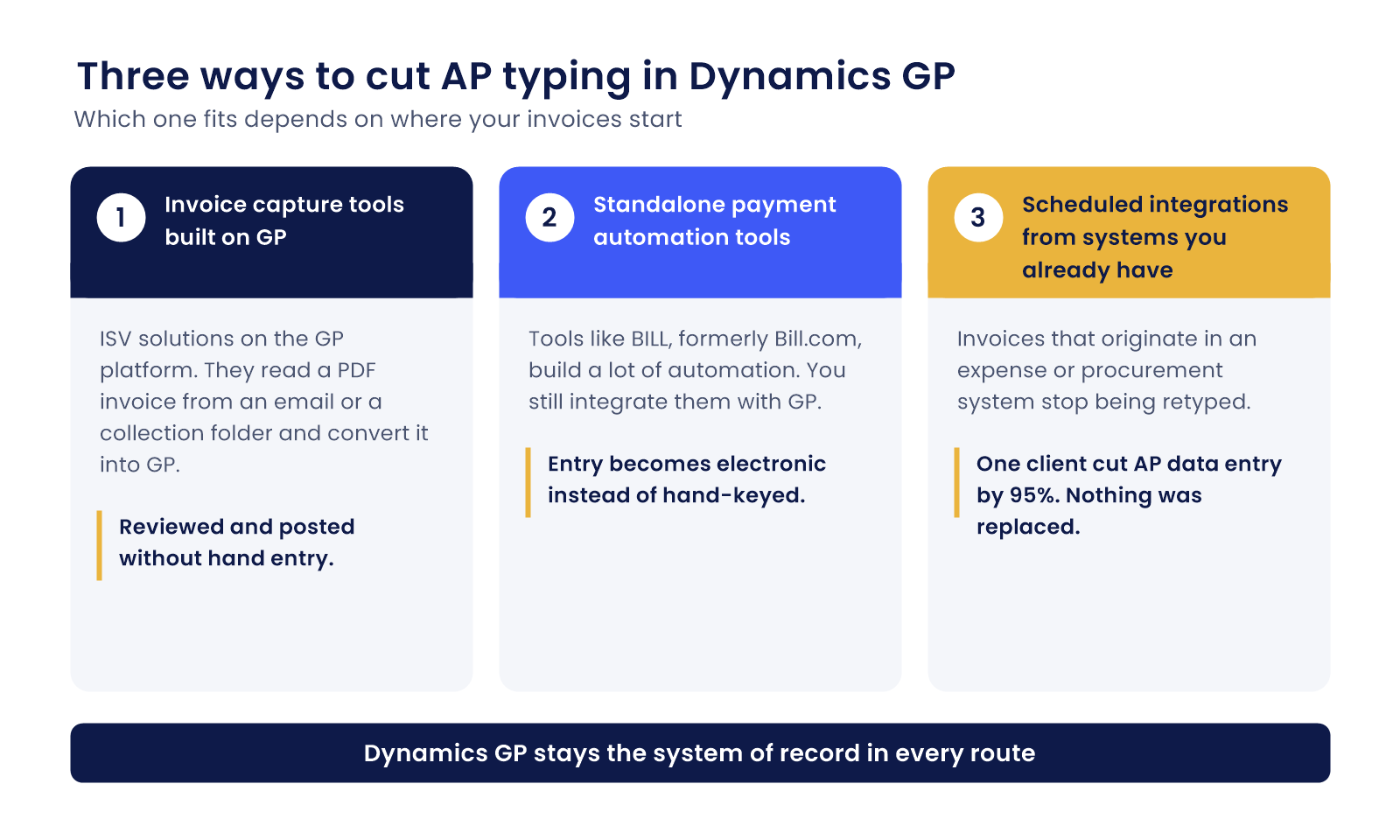
1. Invoice capture tools built on top of GP. Stephen says there are “a number of ISV solutions that exist today” built on the GP platform. They add document identification and invoice management, pulling data from a PDF invoice on an email or from a folder where invoices are collected, then converting it into GP, where it “could then be reviewed, posted, without having to hand enter that transaction.”
2. Standalone payment automation tools. Tools like BILL, formerly Bill.com, build a lot of automation, but as Stephen puts it, “you still need to integrate those with GP.” The difference is that the entry becomes electronic instead of hand-keyed. We cover how that connection works in our post on connecting GP to BILL.
3. Scheduled integrations from systems you already have. If invoices originate in an expense or procurement system, the cheapest option may be to stop retyping them. One client’s accounts payable team cut data entry by 95% using scheduled integrations from their expense management system into GP. Nothing was replaced.
Which one fits depends on where your invoices come from. Don’t choose a tool before you’ve counted.
Count the typing first
Pull one month of invoices and sort them by how they arrived. Email PDFs. Paper. Portal downloads. Exports from another system. Then ask who keys each group and how long it takes.
That count tells you which of the three routes pays off. Say 80 percent of your invoices arrive as emailed PDFs. That’s a capture problem. If instead your invoices already live in another system, you have an integration problem, and the fix is a different one. Different problems. Different fixes.
What it’s worth
APQC’s open benchmarking data puts the median total cost to process a single invoice at $6.00, based on 5,846 companies. The page doesn’t show a year, and the figure covers personnel, system, outsourced, and overhead costs, so treat it as a yardstick, not a promise. Here’s the arithmetic, for illustration only. At $6.00, 1,000 invoices a month costs $6,000 a month to process. Your cost will differ. Run your own numbers.
Ardent Partners’ 2025 State of ePayables report, underwritten by Bottomline, found an average of 35.4% of invoices processed touchless, against 51.0% for best-in-class teams. That’s a sponsored study, so read it with care. It still shows what’s possible.
Questions to ask any AP automation vendor
Bring a short list.
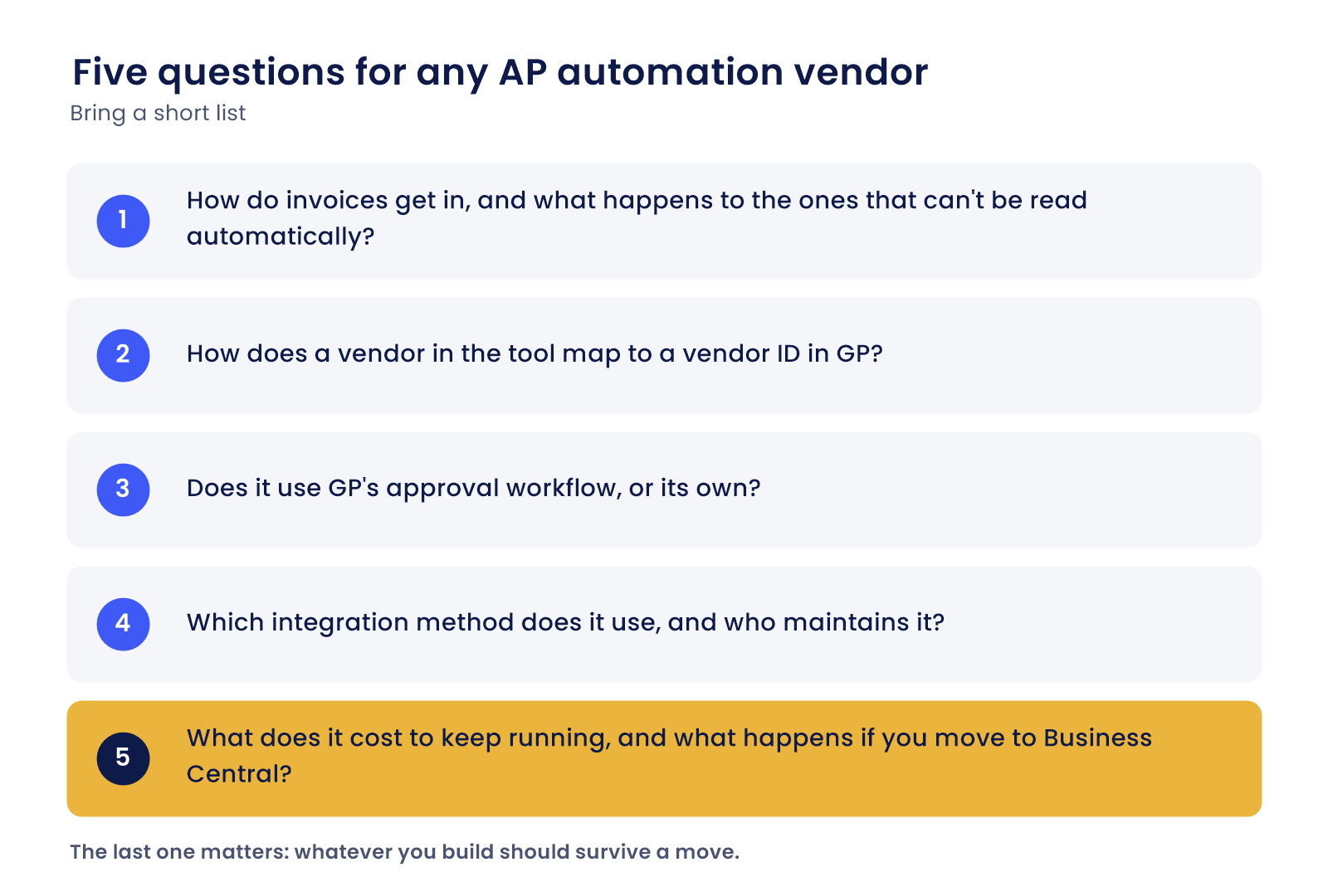
- How do invoices get in, and what happens to the ones that can’t be read automatically?
- How does a vendor in the tool map to a vendor ID in GP?
- Does it use GP’s approval workflow, or its own?
- Which integration method does it use, and who maintains it? Microsoft’s developer documentation says Microsoft is “not actively fixing” issues in the eConnect shipping product due to the product’s life cycle, and that Web Services is the preferred tool for integrating data.
- What does it cost to keep running, and what happens if you move to Business Central?
The last one matters. Microsoft’s GP support, including tax updates, ends December 31, 2029, and whatever you build should survive a move. Ask now.
Payments are the easy part
Many teams still cut checks. Stephen notes that “a lot of clients have been used to using checks,” while “GP can handle ACH out of the box with North American banks.” Microsoft says GP offers 10 standard EFT file formats published to NACHA requirements. So paying electronically may not need new software at all. Check first.
When to bring in help
Tell us how invoices reach your team today. We’ll point out where the typing happens and which route fits. Argus has committed to supporting Dynamics GP through 2036 under the Argus 10-Year Commitment, and we handle Business Central migrations in-house when you’re ready, so what we build now won’t be orphaned.
Questions about automating AP in Dynamics GP
Does Dynamics GP have built-in invoice scanning?
Microsoft’s GP documentation describes no native invoice capture or OCR. GP handles manual entry, batches, and approval workflows, and it lets you attach documents. Reading data off an invoice is typically done by an add-on from an independent software vendor built on top of GP.
How do we cut AP data entry without replacing GP?
Three routes: invoice capture tools built on GP, standalone payment automation tools integrated with GP, and scheduled integrations from systems where invoices already live. Which fits depends on how your invoices arrive. In one client’s case, scheduled integrations cut AP data entry by 95%.
What’s the real saving when you add it up?
That depends on your volume and your current process, so start with your own count of invoices and who keys them. APQC’s median cost to process an invoice is $6.00, from a sample of 5,846 companies, but the page shows no year and it’s a benchmark, not your number.
If we may move to Business Central, is building this now a waste?
Not usually, as long as you ask vendors how the solution carries over. Microsoft’s GP support, including tax updates, ends December 31, 2029, so there’s a planning window. Pick tools that work with GP today and have a clear path to Business Central.
Where’s the best place to start?
Pull one month of invoices and sort them by how they arrived and who keyed them. That count shows which fix matters most. A Free Business Assessment from Argus can turn that list into a short plan.
See where the typing is
Send us a month of invoice sources and a description of how your team handles them. We’ll tell you where the hours go and what could go away. Start with a Free Business Assessment, or call (626) 403-9744.